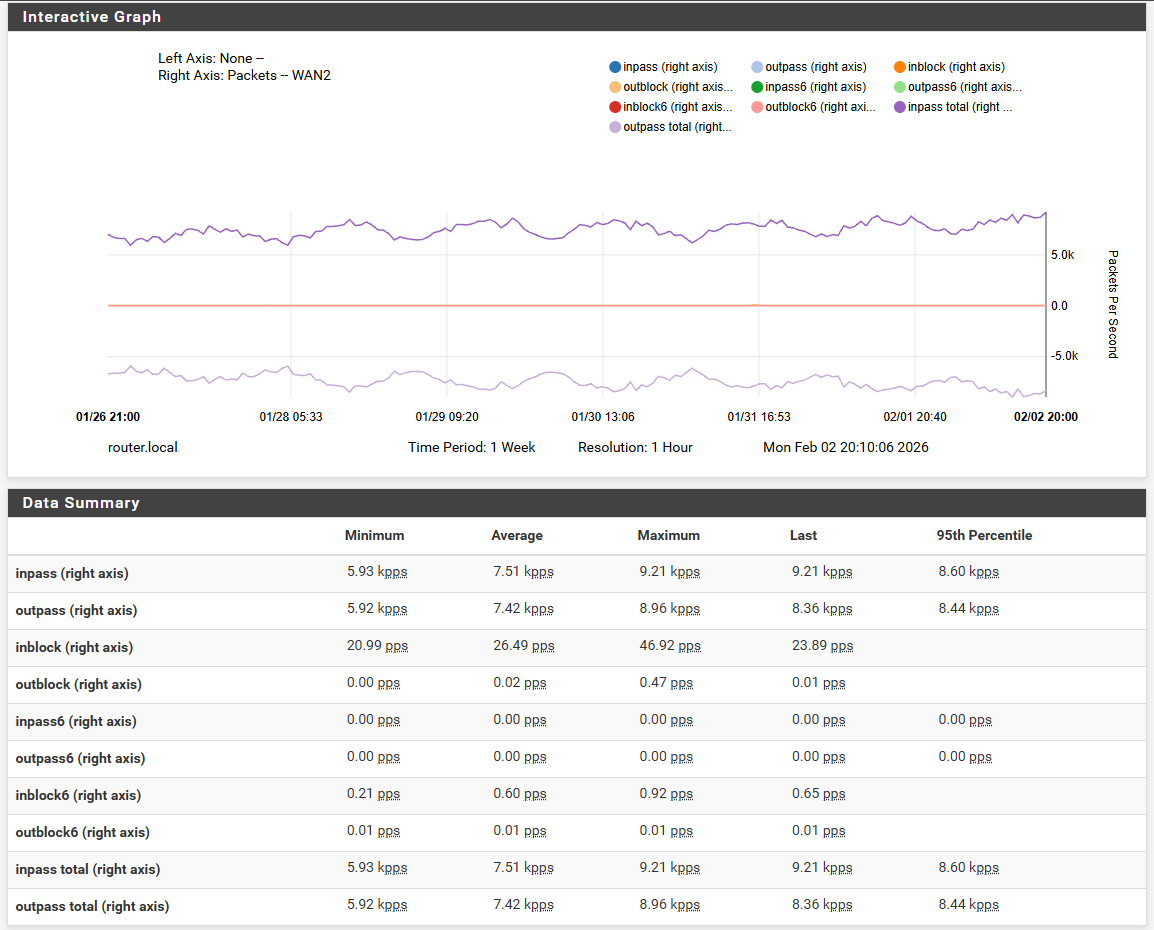
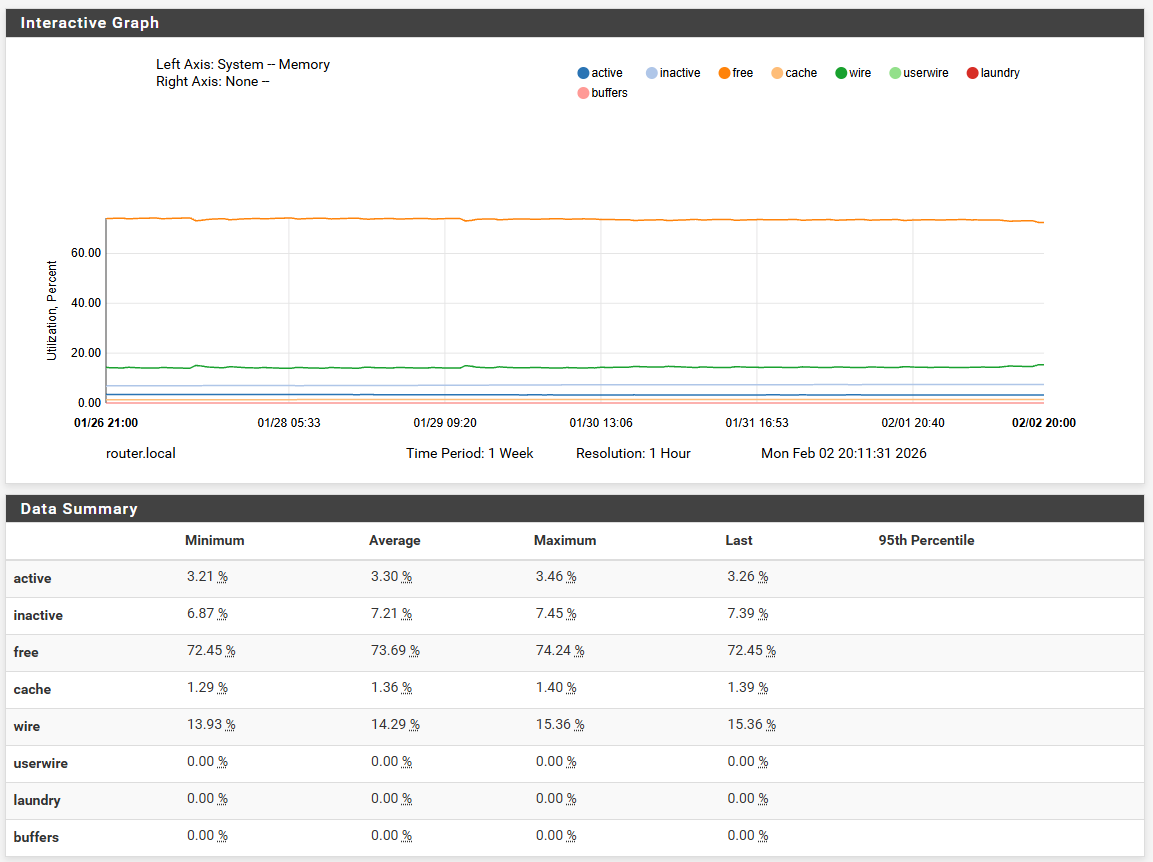
Added my server to the pool within the last 24 hrs to see what kind of traffic I get:
On the router (Intel n100 running pfsense)

CPU and Memory usage are going to be high - running Suricata IPS
Over 250,000 states for NTP:


Is this a lot?
Yes that is a lot. But see the CPS, that is almost nothing.
That is why your CPU and statetable-size are growing at a rapid speed.
The timeout of UDP (too high) causes that.
If you lower the timeout, you will see the number of states and the CPU-load drop to normal levels.
Try setting UDP first to 10 and UDP single to 15 and set multiple to 60.
Then the states will drop fast in numbers.
There is no need to set UDP states so high today as the entire internet can be reached in about 200ms-300ms, apart from some real bad routes that you probably won’t use for UDP anyway.
These high release numbers are probably a thing of the past when telephone modems where used of 2-way stationary Sat-Internet that has very high delays.
Where you had to give a ground command to an uplink station and after 30 seconds or more the stream would start via sat to earth. Or maybe earth-moon-earth etc communications where it takes multiple seconds to reach the moon and back.
But those outdated comm’s aren’t used for our systems, so I do not understand why they are set this high.
Especially when you control the router and directly ports statically, so they are not leaning on uPNP.
In my honest opinion keeping UDP states should not be done for NPT packets at all.
NTP round-trip times also includes the server internal delay (T3-T2). In unusual situations this may be on the order of seconds.
30 second timeouts seems to be a reasonable compromise.
Mine is set at 10 seconds and it’s more then enough.
If I send a command to an NTP-server like ntpdate, typical the response is less then 2 seconds.
I also think pool-monitors should report timeout at 2-4 seconds (rtt including server delay), not wait much longer.
As then, there is no point to wait much longer as it only produces inaccuracy.
Also shows the path isn’t fast for them to monitor that server.
I wonder, now you set the UDP to 10 secs, does it affect memory and CPU load?
I would love to compare them on your heavy loaded system.
I didn’t notice much of a change
pf uses about 1 kB of RAM per state, not sure about other firewalls
The majority of the CPU and RAM on my router is being consumed by Suricata, not the UDP state table
1 week of data at 3gbps setting and “Normal” timeouts
Chrony is using ~10% CPU on Intel Core i3-7100U CPU @ 2.40GHz
Router is Intel N100:
How much RAM does your router have? Do you have console access?
Yes I have console access, see here:
DrayTek> sys ver systeminfo
Router Model: Vigor2865ax    Version: 4.5.2.2_MDM4 English
Profile version: 4.0.0    Status: 1 (0xfd4c8e9a)
Router IP: 192.168.1.1    Netmask: 255.255.255.0
Firmware Build Date/Time: Jan  7 2026 11:50:30
Router Name: DrayTek
Revision: 6465_3c090de17b drayos2015_V2865_452_r6444
Current VDSL2 Firmware Version: 08-0D-01-0C-01-07
ADSL Firmware Version: 08-0D-00-0E-01-01 Annex A
VDSL2 Firmware Version: 08-0D-01-0C-01-07
Router serial no: None

============== CPU usage ===============
CPU speed : 800 MHz
CPU1 speed: 800 MHz
DDR speed : 666 MHz
CPU usage :  3 %
========= Linear Memory usage ============
Dynamic memory usage : 84 % (155562K/183789K)
         Free memory : 28227K(28904480 bytes)
 Device driver occupied memory : 0K(0 bytes)
  Total memory usage : 89 % (233916K/262144K)
Idle task idle time : 0 sec
DrayTek>
Looks like 256Mbyte to me, with 30Mbyte free, although you can never be sure with Linux or Unix.
I think thats the problem - not enough RAM in the router
No, tables are limited.
As I said before.
I can not change table limits.
But t’s fixed.
I know but that is with 10s timeout not with the default 3 minutes.
I got them down to this, and the problems went away.
I think you could serve more clients if you changed to a different router
Yes I could, but the problem is that I tried many routers already.
I found no router that fits my needs like the DrayTek.
I have a Fritzbox 5690Pro, 7590, 7530 etc, they all failed.
I tried the MikroTek, it’s too complicated, but with default settings it failed too.
I tried the BSD firewalls, but they are not my cup of tea.
Going ISP grade router is too expensive.
Any ideas beside MikroTek and BSD based?
I have been looking for long time, the DrayTek does handle it at 10s timeout.
As for the load, I can not up it very much as I have many more services running.
And soon a 70cm Ham-repeater with vxlink will join the services, after NovaWebsdr that is running about 40-50 users all day long.
I’m fine with the DrayTek as it’s configured now.
It’s sad that stateless DNAT has been disparaged in this thread, and people bringing it up insulted as “nitpickers”. Otherwise, it would work very nicely, e.g., on OpenWrt (for those able to use and configure an OpenWrt-based device, and those who understand that stateless DNAT does the same core packet manipulation as stateful DNAT, except it does it statelessly because state is actually not required for the operation).