U-Blox chips have very specific boot text for each chip that the really cheap clones tend to not copy 100%. They also tend to not work with every command from U-center, and thier performance is usually a gen or 2 (or worse) behind what the chip claims to be. IE, a fake Gen 8 chip would perform and in many cases operate like a Gen 6.
I have a fake Gen 7 chip that can barely recieve any satellites, but a genuine Gen 7 using the same antenna in the same location will instantly have half a dozen satellites.
Because Garmin was lazy enought to not generate the -5v, but not so lazy as to ignore the reversed polarity. They inverted the polarity in hardware(all you need if you are a cheapskate is one transistor). It still does not make it compliant, just good enough to fool most PCs…
I really dont know why they didnt throw a max232 chip at it to do the RS232 properly…
I vaguely recall that issue when I was first dabbling around with GPS and NTP, reading through various forums posts and guides. Because of Garmin only using a non-standard 0V to +5V for signaling over RS-232, it didn’t work with every serial chipset, and even the ones it worked with, it wasn’t always issue free.
I am looking at this, to replace a 10 year old unit lying in a tupperware on the roof.
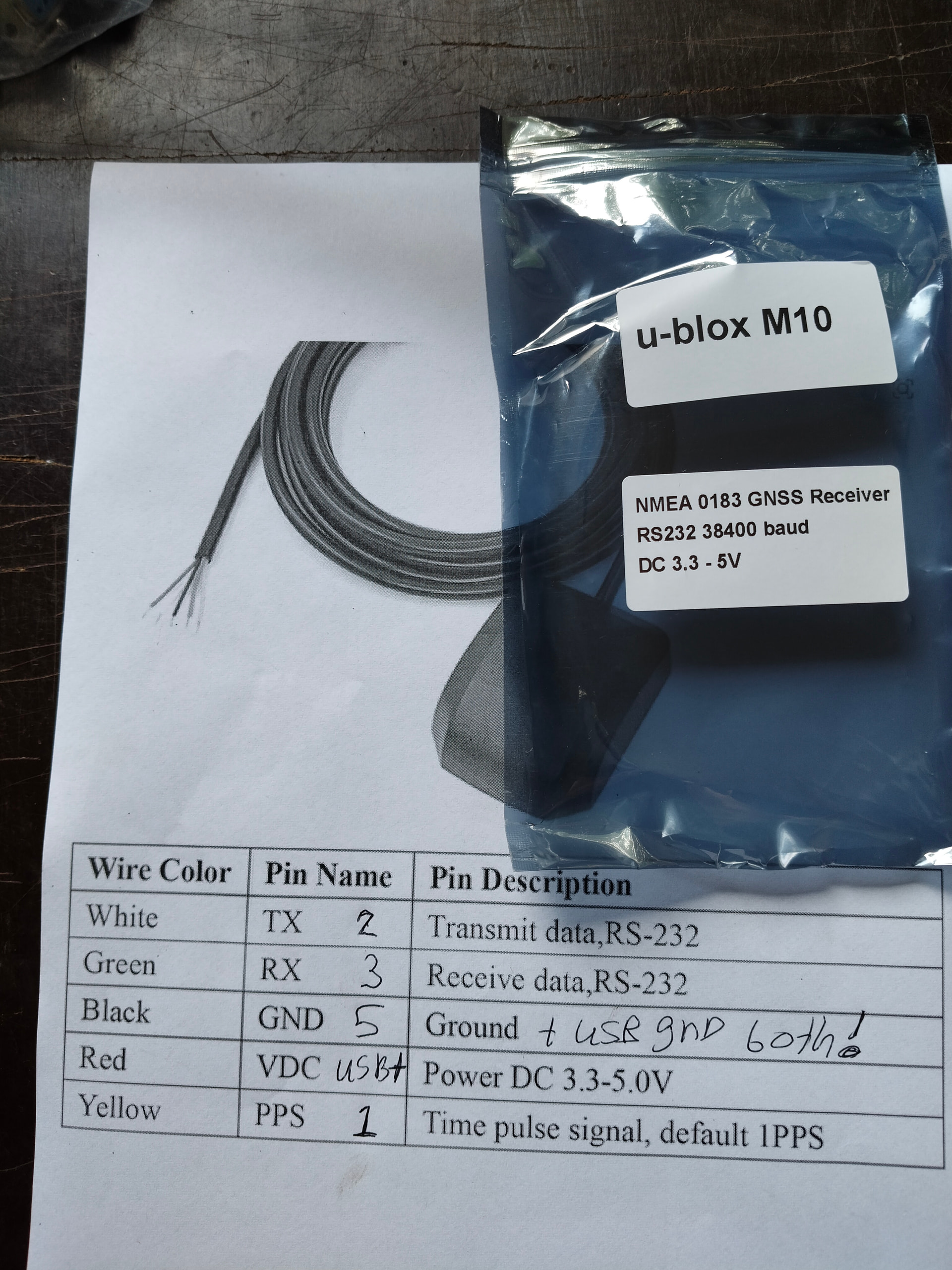
How do I power this? Short the Black GND to the USB GND, and connect the White wire to a USB V+? Can I assume that the RS232 GND is the same as the USB GND?
Thank you
(I have been running a pool server since 2003, and mutiple Stratum 1s since 2013, but they are all unmaintained, install and ignore).
That particular device does run off +5VDC, so yes, you can use a USB plug and just connect the ground to the USB ground pin and positive to the +5VDC pin on the USB plug. Even a 500mAh USB port should be enough to power the device as those puck styles typically have a ceramic patch antenna and only uses the GPS chips built in LNA to amplify the signal.
If you look around Aliexpress, you’ll actually see some of those same puck style GPS receievers terminate with a Serial plug for hook up and communication with the PC and a USB plug to provide power.
I did see those, but none seemed to have PPS. My use case is just to contribute servers to the Pool, but I was bitten by the GPS and NTPsec bugs, and now I am lurking on the time-nuts list, so EVERY NS MATTERS. (Although it doesn’t).
My question was: since the RS232 TX/RX line rely on the GND, is it safe to assume that a PC’s USB GND is the same as its DB9 GND?
I have this model and what worked for me was to wire the usb +5v to the red wire, and the usb ground and the ground pin on the db9 connector to the black wire - unlike the garmin there is only one ground and it’s shared between signal and power
It might also depend on that serial chip on the system. I had a wierd issue with my previous setup in the serial communication being inconsistant till I connected the GPS ground with the serial ground pin. Ground should be ground, and yes, testing the pins, chassis and even other points of ground (including the PSU leads) they were all connected, but for some reason I had to make a ground connection to the serial ground pin to be trouble free. Maybe it was a built in sensor to detect a connection on the serial chip, or a requirement for the negative voltages, I dunno.
Yes, all GNDs in a PC is connected together on the PCB by one or more dedicated copper layers in the multi-layer motherboard PCB. GND is also connected to the case for EMI shielding.
DEVICES="-n /dev/ttyS0"

# Other options you want to pass to gpsd
GPSD_OPTIONS="-s 38400 -n"

OPTIONS=""

# Automatically hot add/remove USB GPS devices via gpsdctl
USBAUTO="false"
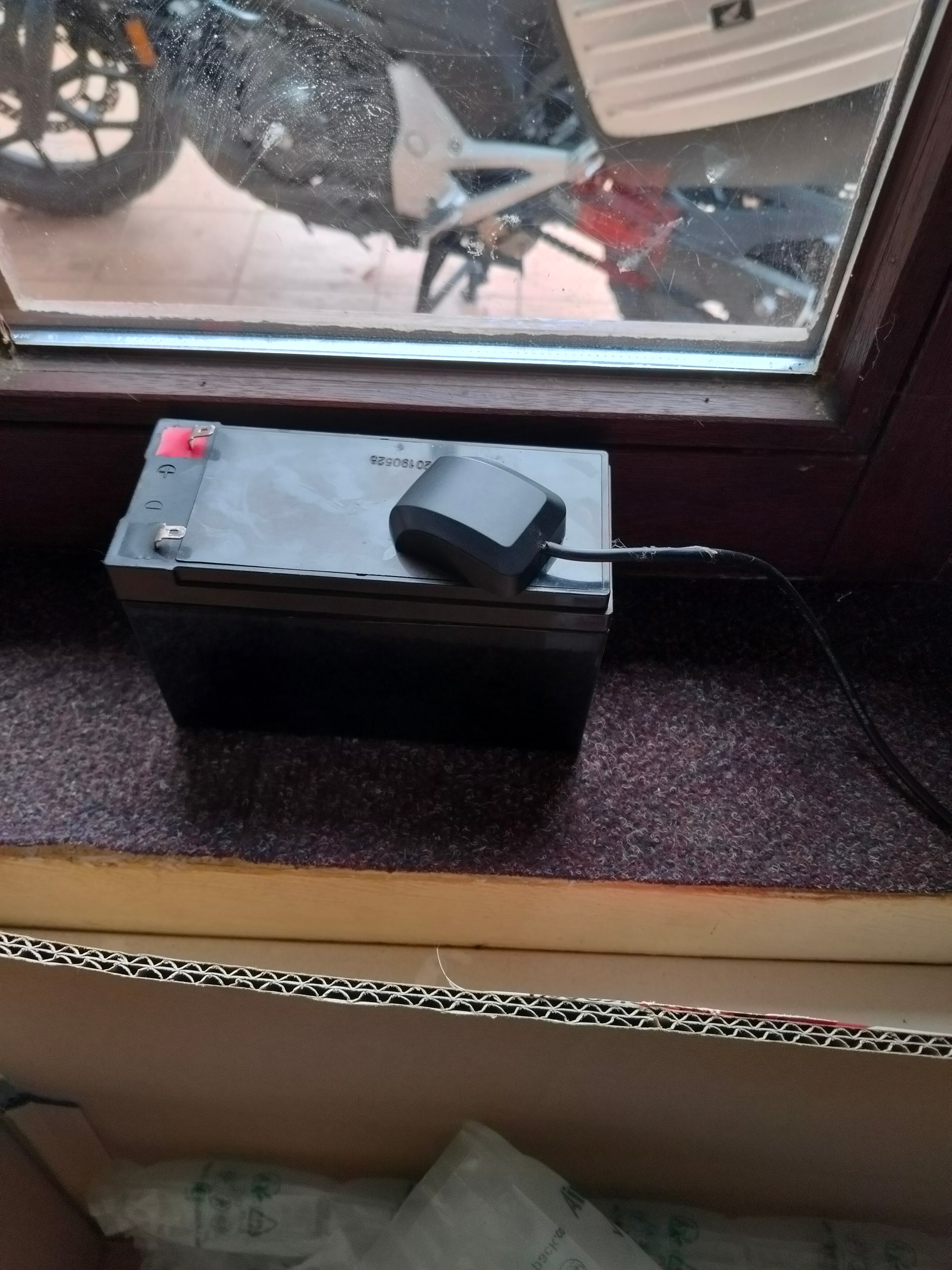
But, compare the Garmin versus this U-blox device….I must say, the Garmin is a bit better but it’s very good for just 25 euro. Didn’t expect it to be this sensitive.
After some tuning….above parameters are what I use now, it’s for PPS most of the time below 25ns.
GPSd will overwrite any changes you made in U-center with it’s own (IMO very crap) settings for U-blox chipsets with a default general use profile. IE, it will enable specific messages, and disable all else. Works fine if you’re using that GPS module for navigavtion purposes. But if you’re trying to tweak what messages are output by the GPS module to reduce latency, and only care about time, then you need to disable GPSd reconfiguring the module with -b, or --readonly in its configuration file.
from your gpsmon snip, looks like you’re running SPG 5.10 firmware, that’s the same that mine shipped with as well, the firmware notes this limitation: